
Old Axure files have a habit of becoming more important than their filenames suggest. A project called final-v3-really-final.rp may contain the only working explanation of a tricky workflow. A widget library may have been copied between teams for years. That is why “just upgrade” is not much of a migration plan.
In July 2026, Axure ended updates for RP 9. RP 9 still runs, and Axure explicitly says RP 9 and RP 11 can be installed side by side while people move over. But future operating-system or browser changes that break RP 9 will not be fixed in that version. This is a maintenance decision, not a midnight deadline. It is also a good reason to stop postponing an inventory.
Start with the files people actually depend on
The first question is not “How many RP files do we have?” It is “Which ones would hurt if we could not open them next month?” Find active team projects, master libraries, prototypes linked from documentation, and files that serve as a source for current product work. Archive copies matter too, but they need not all be migrated on the same day.
Make an untouched copy of each candidate before opening it in a newer version. Give the copy a name that records its source version and date. Keep the original in its existing location until the upgraded file has been checked. It sounds dull; it is the least dull thing in the world when a rarely used interaction turns out to be essential.
If a project contains a separate widget library, list that as its own dependency. Axure’s library documentation describes .rplib files as reusable assets, not merely decorative extras. A prototype may appear fine on first inspection while the library the team uses to extend it is missing or out of date.
Choose a representative test file
Do not begin with the biggest file. Begin with one that contains the types of behaviour your team relies on: perhaps a repeater, a dynamic panel, an adaptive view, a variable-driven condition, and a few components. Make a note of what each is meant to do before upgrading. Then open the copy in RP 11 and compare its generated preview with the RP 9 version.
I would test the boring paths as carefully as the dramatic ones: empty states, error text, sorting after a filter, back navigation, and what happens when a form is partly completed. Those are the places where a prototype can look correct in a screenshot but tell the wrong story when someone uses it.
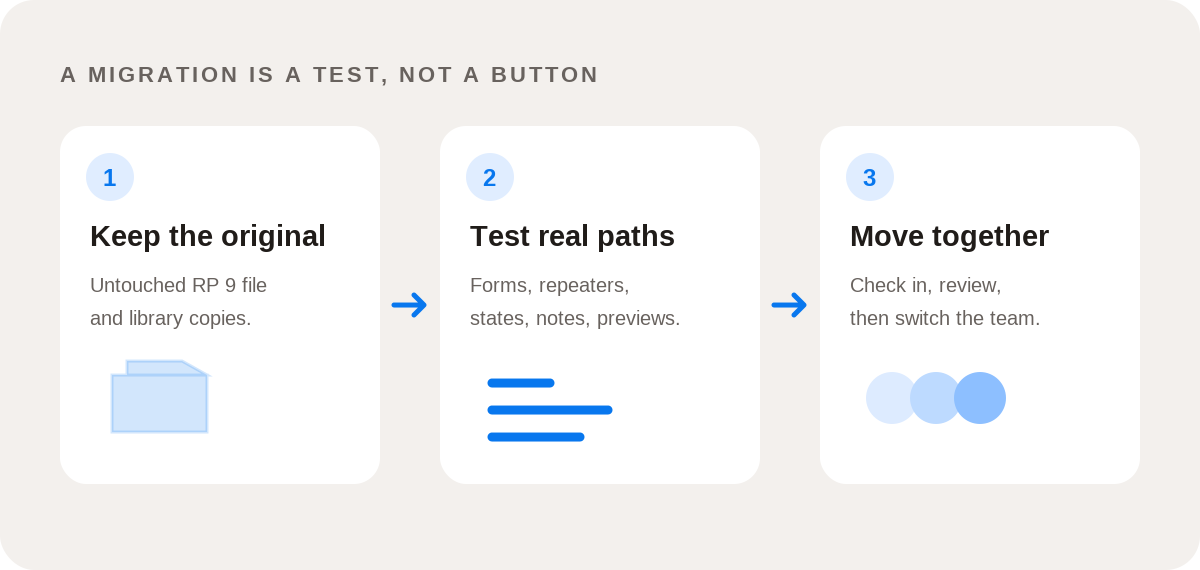
Preserve the source, test the behaviour, then bring the team across.
Axure’s RP 11 upgrade overview explains the newer feature set. It is useful context, but feature lists are not a compatibility test for your particular file. The only meaningful “works” is that the interactions your colleagues rely on still communicate the intended behaviour.
Handle team projects as a team
Shared RP projects deserve their own migration window. Axure has specific instructions for upgrading team projects, including checking in outstanding changes and retrieving all changes before conversion. The documentation also explains the backup file Axure creates. Read those instructions before anyone presses an upgrade button. Then agree on a freeze point so one person is not editing the old project while another has already moved to the new one.
After migration, have the people who know the file use it. A designer may catch a visual shift; an analyst may notice that a rule no longer represents the requirement; a developer may discover that a note or state name is now confusing. A technical migration is done only when the file remains useful to the humans around it.
Keep scope and licensing separate
The official RP 9 end-of-updates note says most customers have moved to RP 11, but a team’s own timing can be different. The decision to migrate an active prototype is not the same as converting every dormant archive. Nor is the ability to preview a file the same as having an editing workflow ready. Axure’s release-candidate notes describe a view-only mode for viewing, previewing, and using MCP without a license. That is different from an editing workflow, which still needs the appropriate RP 11 access.
For a library or purchased template, I would ask one more question: was it built for the version I intend to use? A product page’s compatibility statement is a starting point, not proof that every old file has been retested in every newer release. Keep a small record of what you personally verified, including the RP build and operating system used for the check.
A small migration checklist
- Inventory the active RP files, team projects, and
.rplibdependencies. - Preserve untouched copies and note the original RP version.
- Select one representative file and document its essential interactions.
- Follow Axure’s team-project procedure where applicable.
- Compare the old and new previews on real tasks, not only on appearance.
- Record any differences, owners, and workarounds before declaring the move complete.
- Keep RP 9 available during the transition where your setup permits it.
The point is not to turn a version upgrade into a six-month programme. It is to protect the part of an Axure file that matters most: the decisions encoded inside it. When those survive, the move is worthwhile. When they do not, an attractive new interface is not much consolation.
 Explore Forms Lite